For iPhone, iPad & Apple Watch
Simplify cooking,
help end hunger.
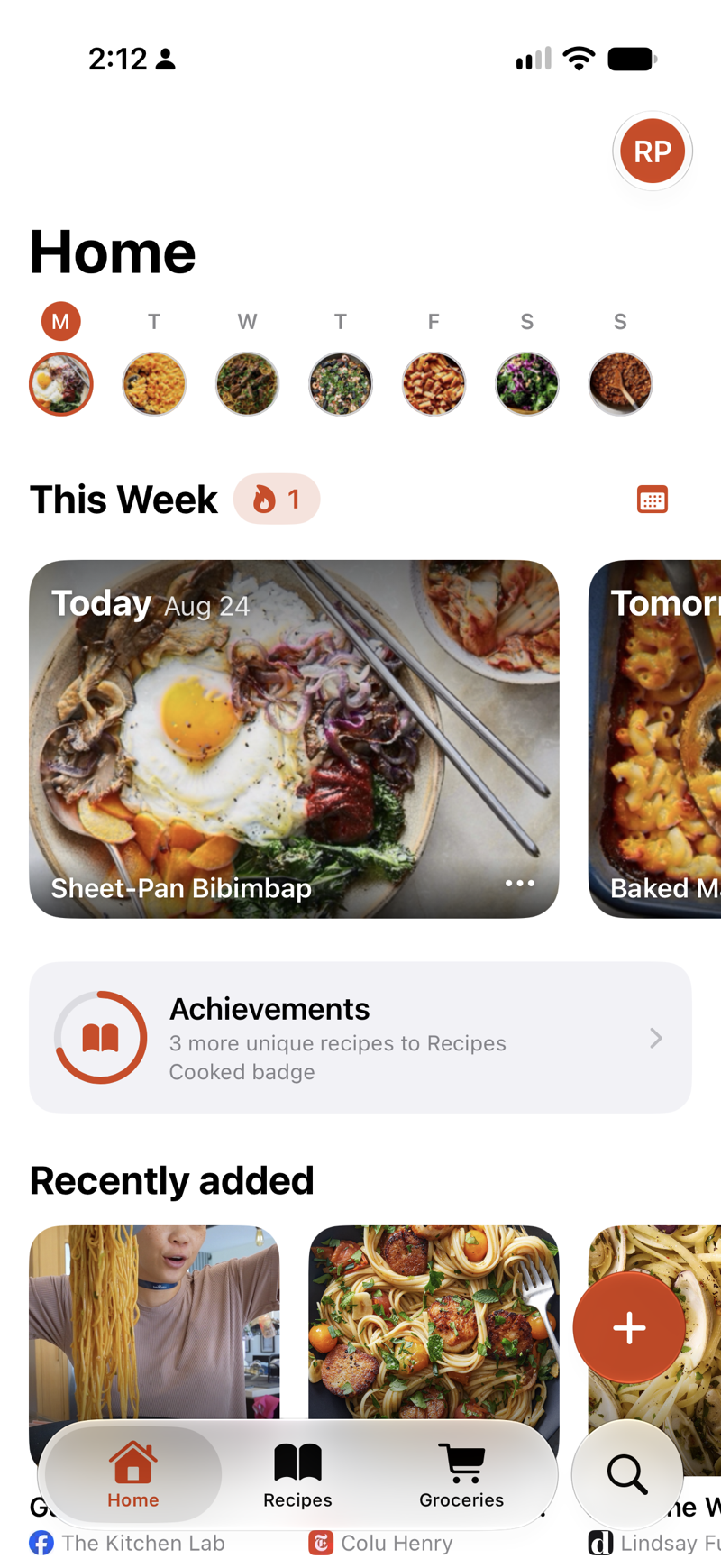
Save recipes from anywhere. Cook hands-free. Track nutrition. Plan meals. Build your grocery list in seconds.

For iPhone, iPad & Apple Watch
Save recipes from anywhere. Cook hands-free. Track nutrition. Plan meals. Build your grocery list in seconds.
Import
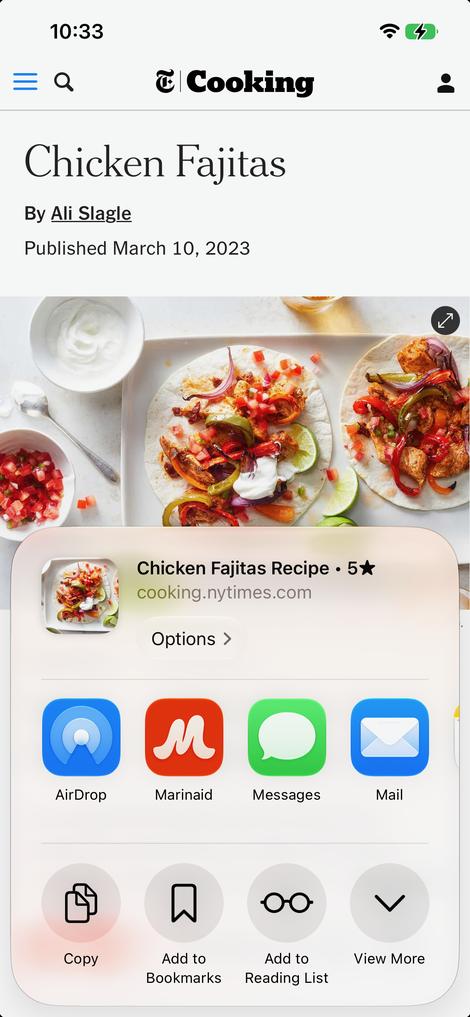
From your browserFound it in Safari? Share it to Marinaid and it’s ready to go. Works from any app with a share button.
Or skip the share sheet: with the recipe open in Safari, say “Hey Siri, add this recipe to Marinaid.”3 Confirm once and it’s saved.
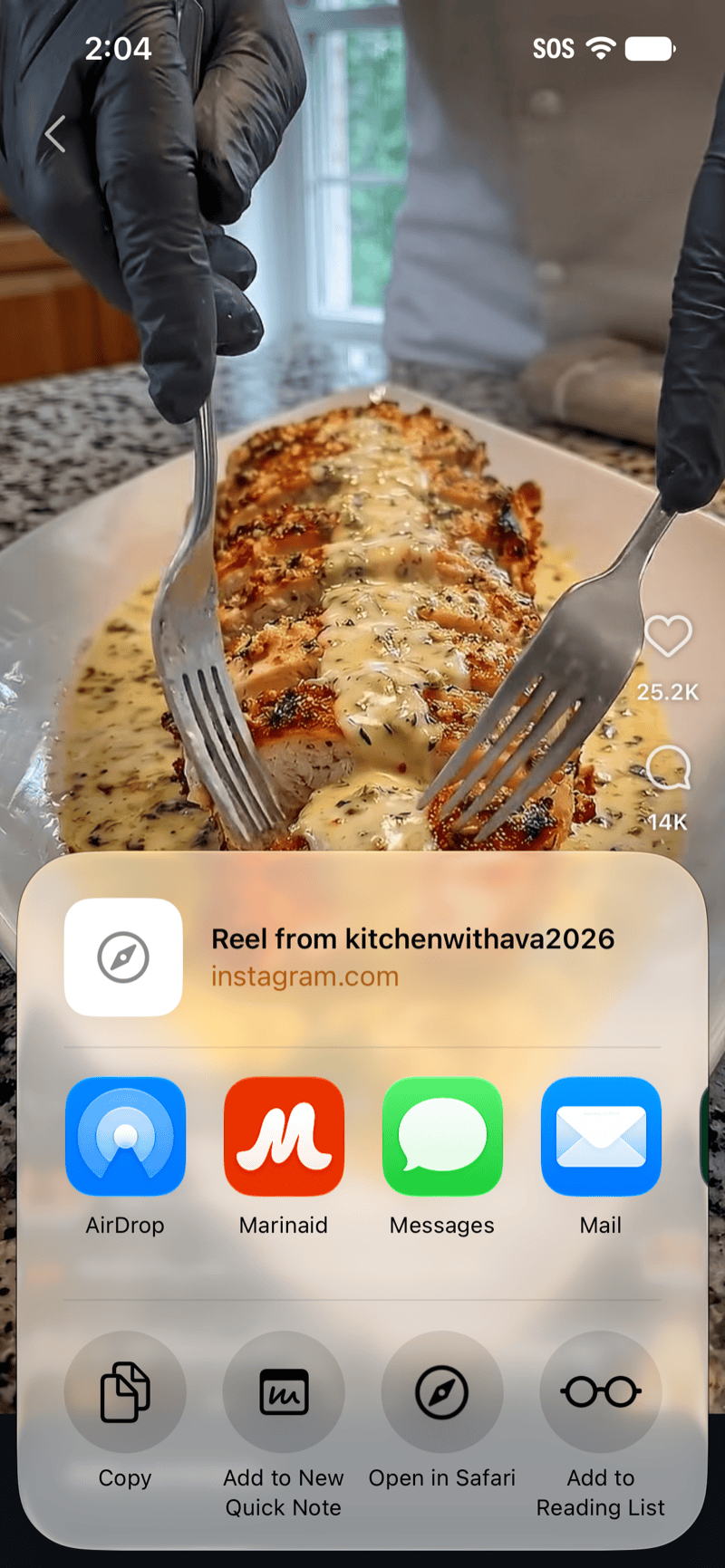
From Instagram, TikTok & more Better with Apple Intelligence2Reels and TikToks count too. Marinaid reads the caption, or listens to the narration and writes out the recipe the creator never put in the description. See how it reads a TikTok video →
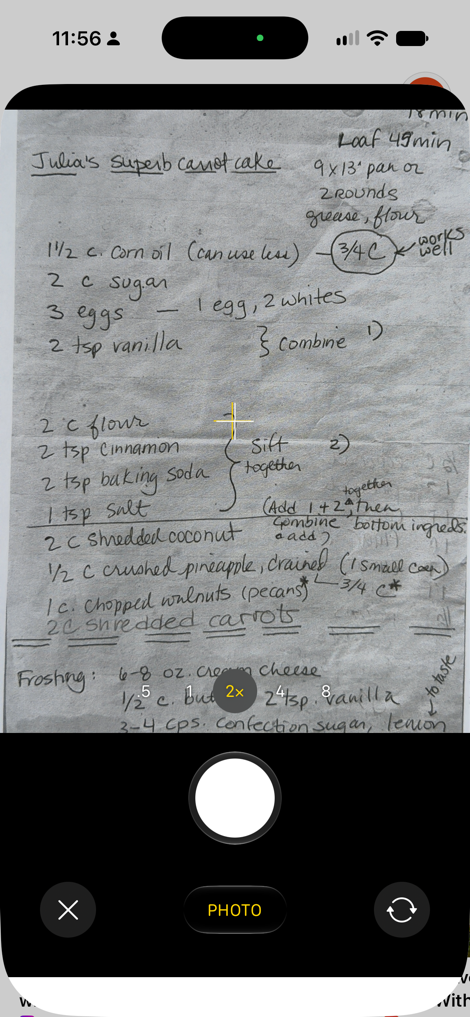
From a cookbook Requires Apple Intelligence1Point your camera at a cookbook page, a recipe card, or your grandmother's handwriting.
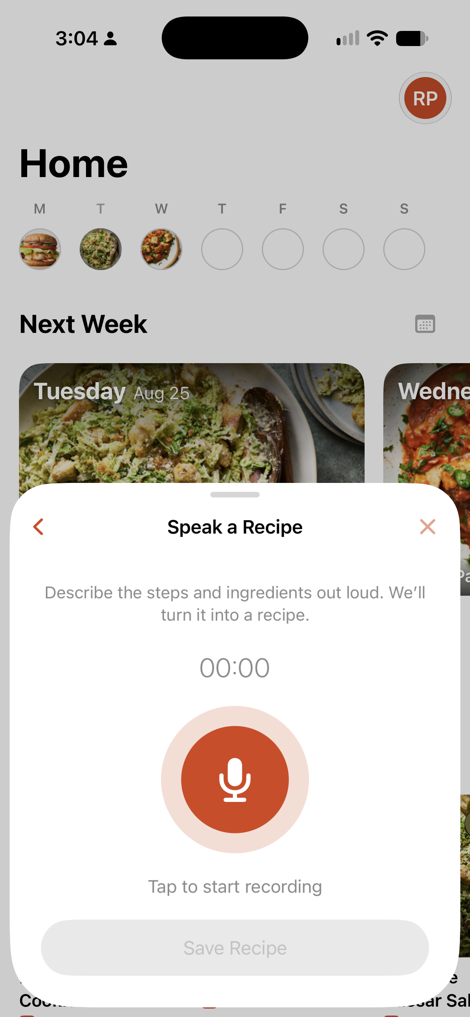
From audio Requires Apple Intelligence1Read a recipe out loud and Marinaid saves it. This works for the recipes that only exist in your head, or got shouted across a kitchen.
“Hey Siri, add this recipe to Marinaid.”
“Hey Siri, open Chicken Piccata in Marinaid.”
“Hey Siri, find a recipe with chicken and turmeric in Marinaid.”
“Hey Siri, add Bolognese Sauce to my meal plan for Friday in Marinaid.”
“Hey Siri, add a recipe to my grocery list in Marinaid.”
Imports the page you’re reading in Safari.
Opens the recipe.
Shows matching recipes from your library.
Adds it to Friday's meal plan.
Asks which recipe, then adds its ingredients.
Siri Requires Siri AI3
Straight from SafariReading a recipe in Safari? Say the phrase and Marinaid imports the page: ingredients, steps, photo, and a link back to the source. iOS asks you to confirm once before it's saved in Marinaid. Works on pages in Safari; in the Instagram and TikTok apps, use the share sheet.
Open by nameSay a recipe's name and Siri opens it — no searching.
Find by ingredientsAsk for a recipe with chicken and turmeric, and Siri finds a match from your own library. Nothing is invented; results only ever come from what you saved.
Add to your meal planName a recipe and a day, and Siri adds it to your meal plan — no need to open the app.
Add to your grocery listName a recipe and Siri drops its ingredients onto your grocery list — no need to open the app.
Organize
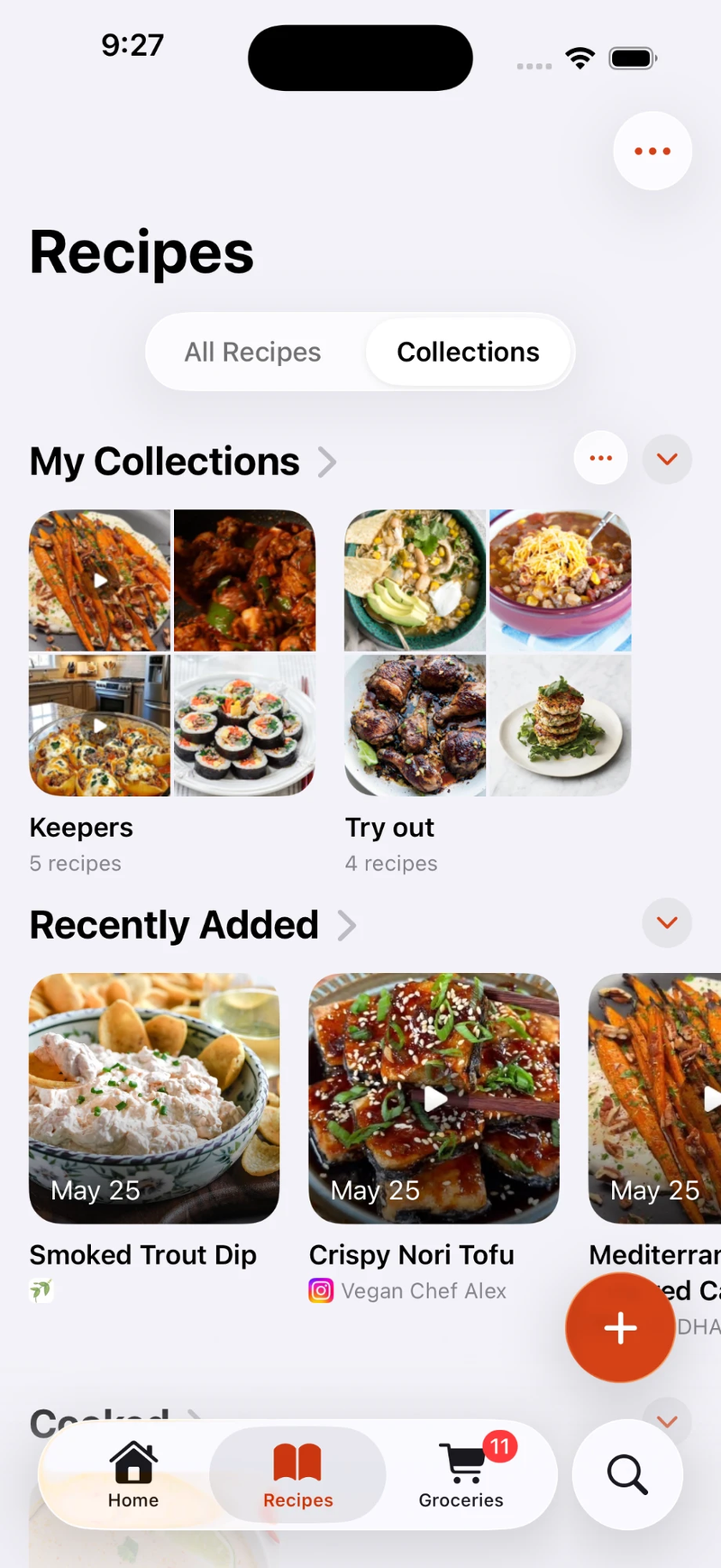
Your own collectionsGroup recipes into collections you name yourself — weeknight dinners, the birthday list, the handful your kids will actually eat. A recipe can sit in as many collections as you like.
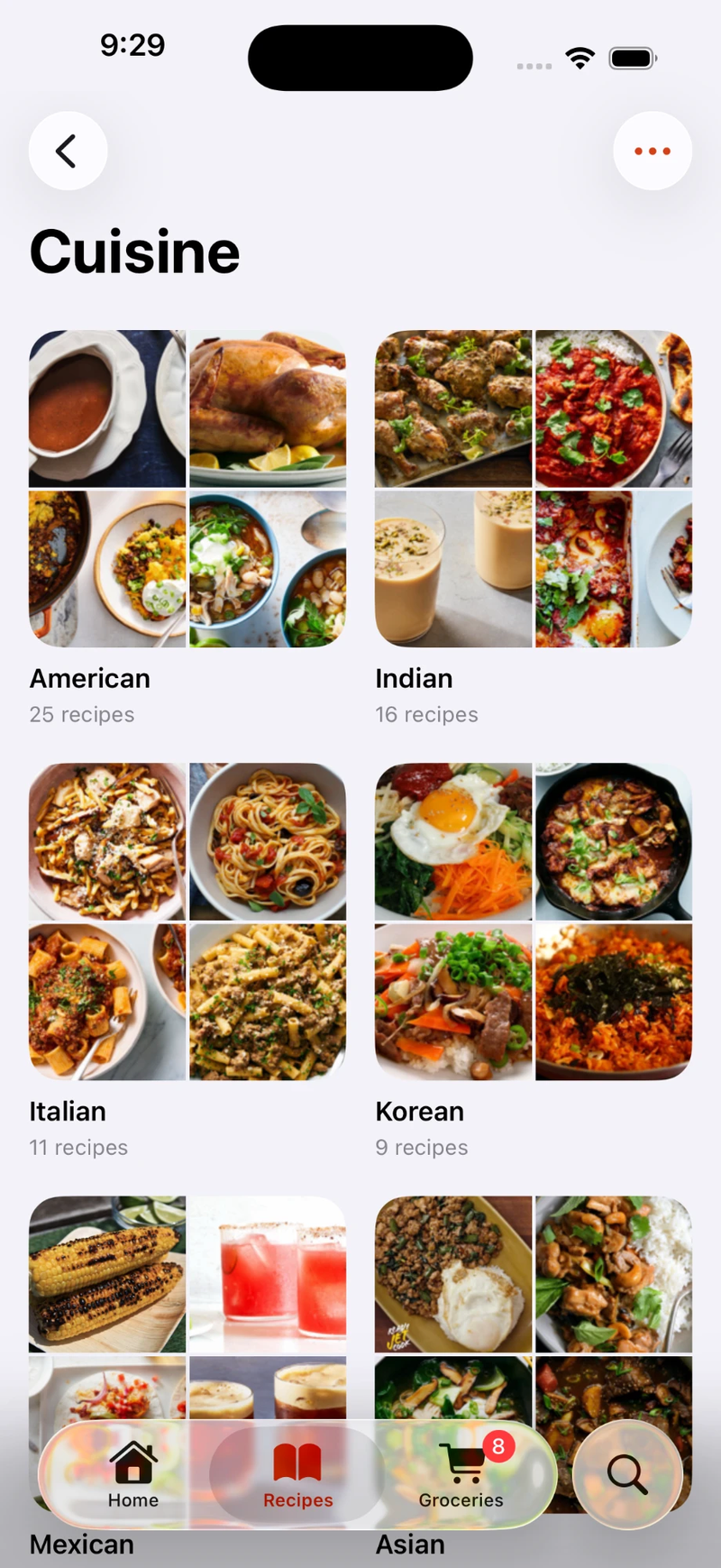
Automatic sorting Better with Apple Intelligence2Imported recipes sort themselves. Marinaid reads the page for cuisine and meal types.
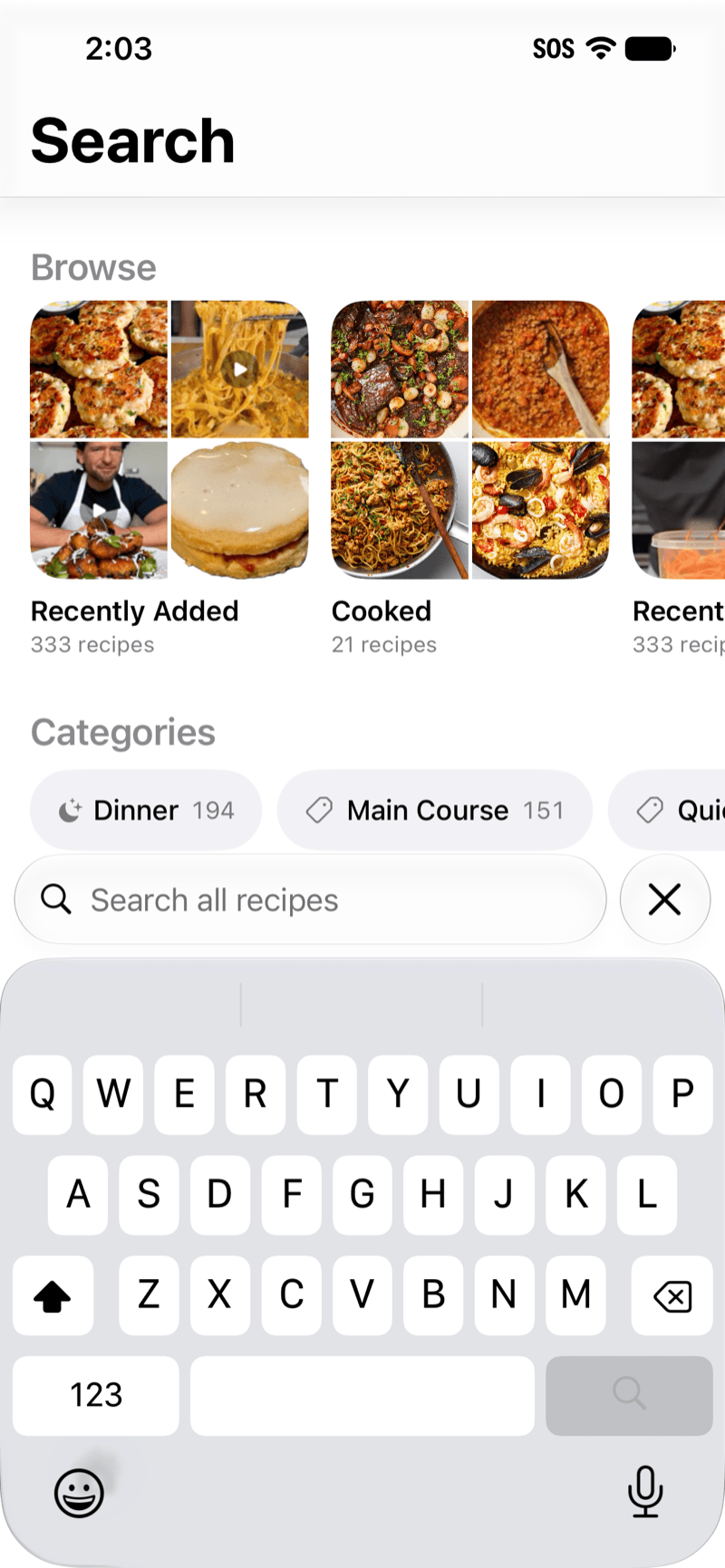
Find it againSearch for recipes for ingredients, such as, “chicken and broccoli”, author, source, cuisine or meal type. You can also skip the typing and tap straight into a category.

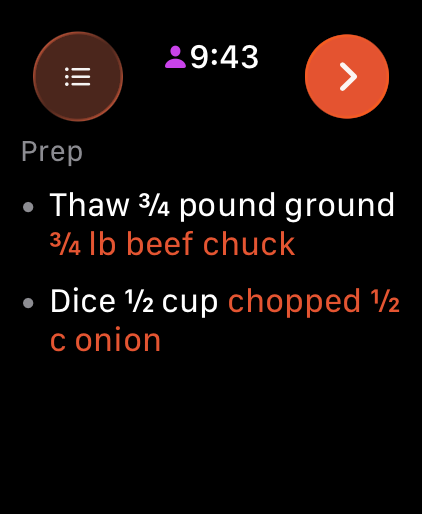
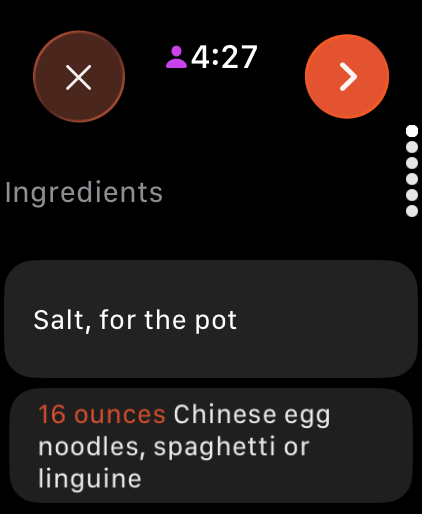


Cooking Mode
Prep Better with Apple Intelligence2Before step one, Marinaid works out everything worth doing ahead — what to dice, slice, pound and tear — so the preparation steps are clear before you start cooking.
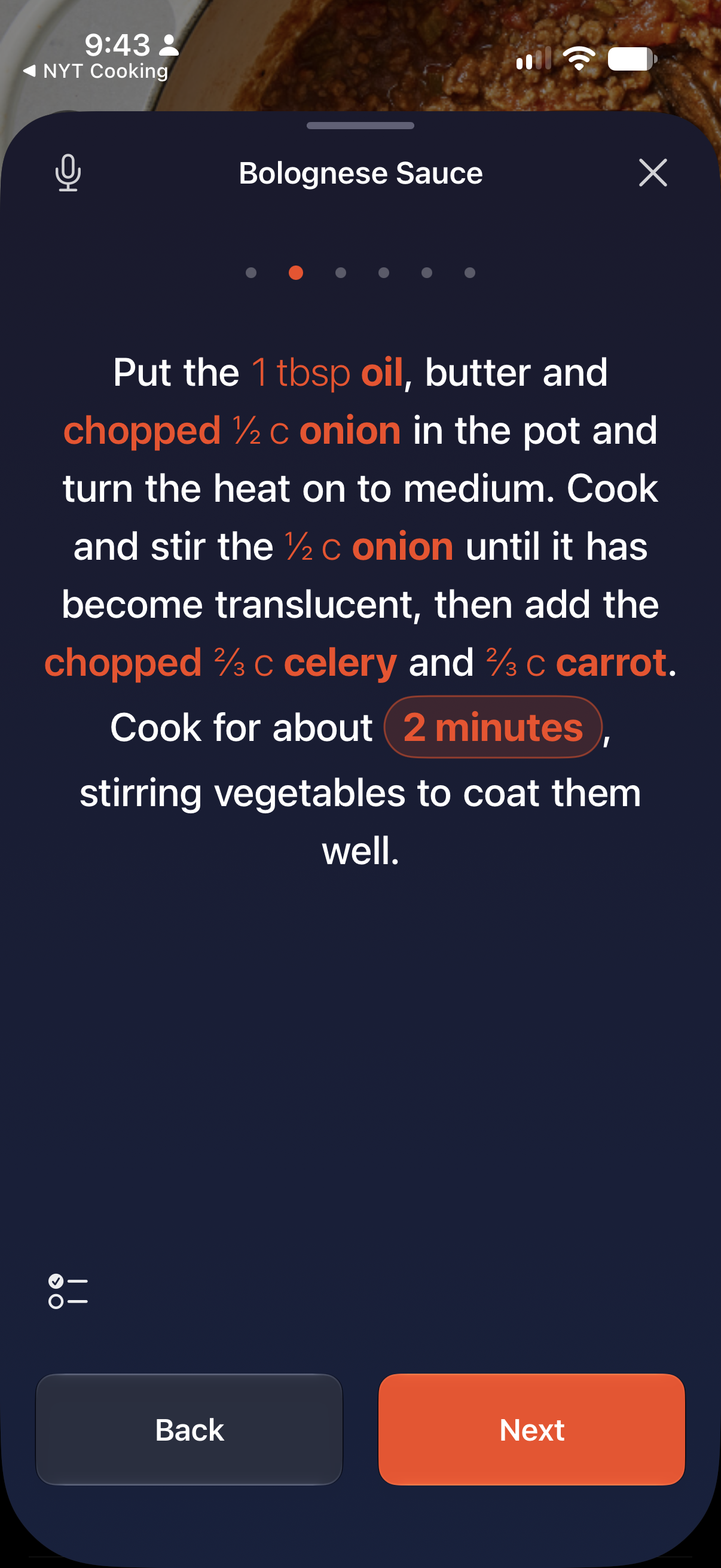
StepsEach step highlights its own ingredients and amounts, so you never scroll back to the ingredient list to check whether it was one tablespoon or three.
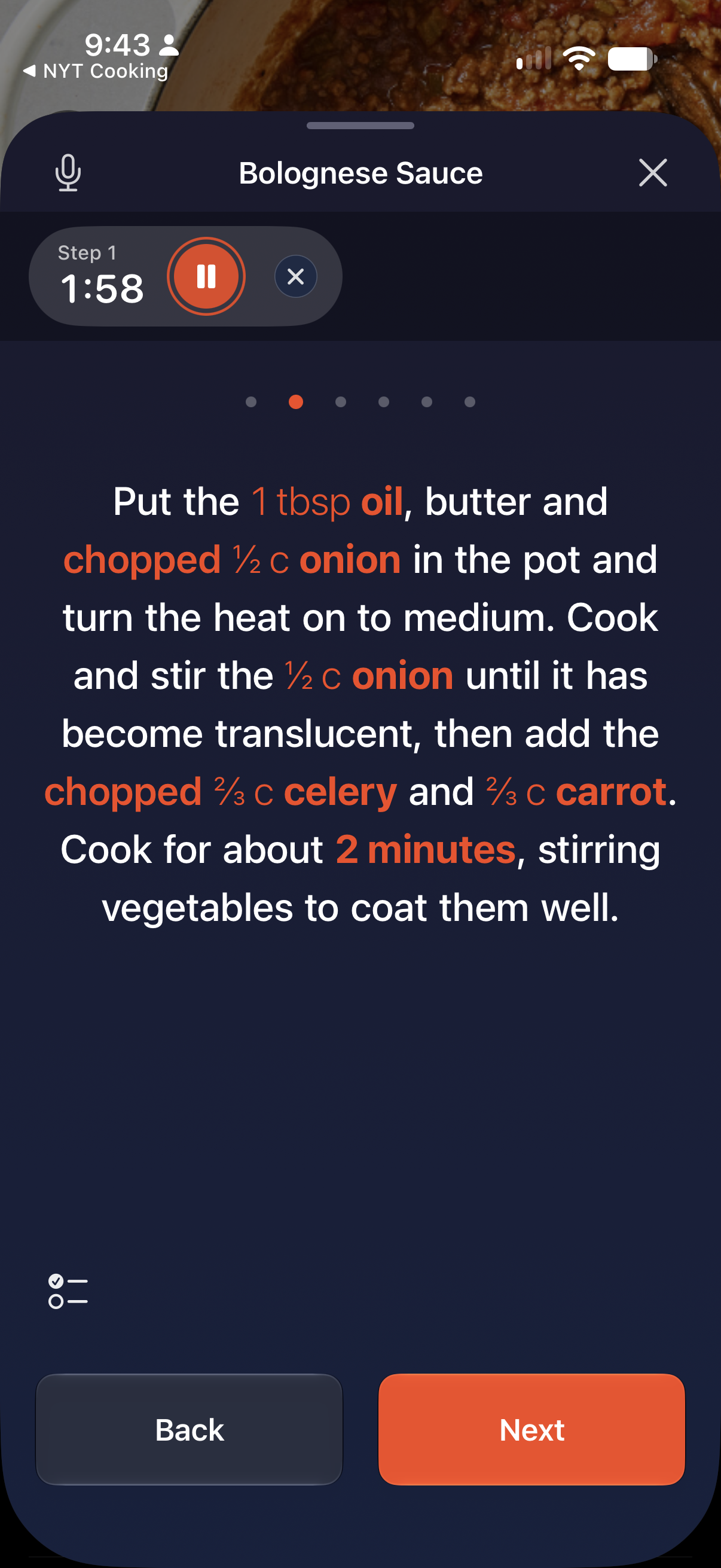
TimersTap a time written into a step and it becomes a timer. It keeps counting on your Lock Screen and in the Dynamic Island while you use other apps.
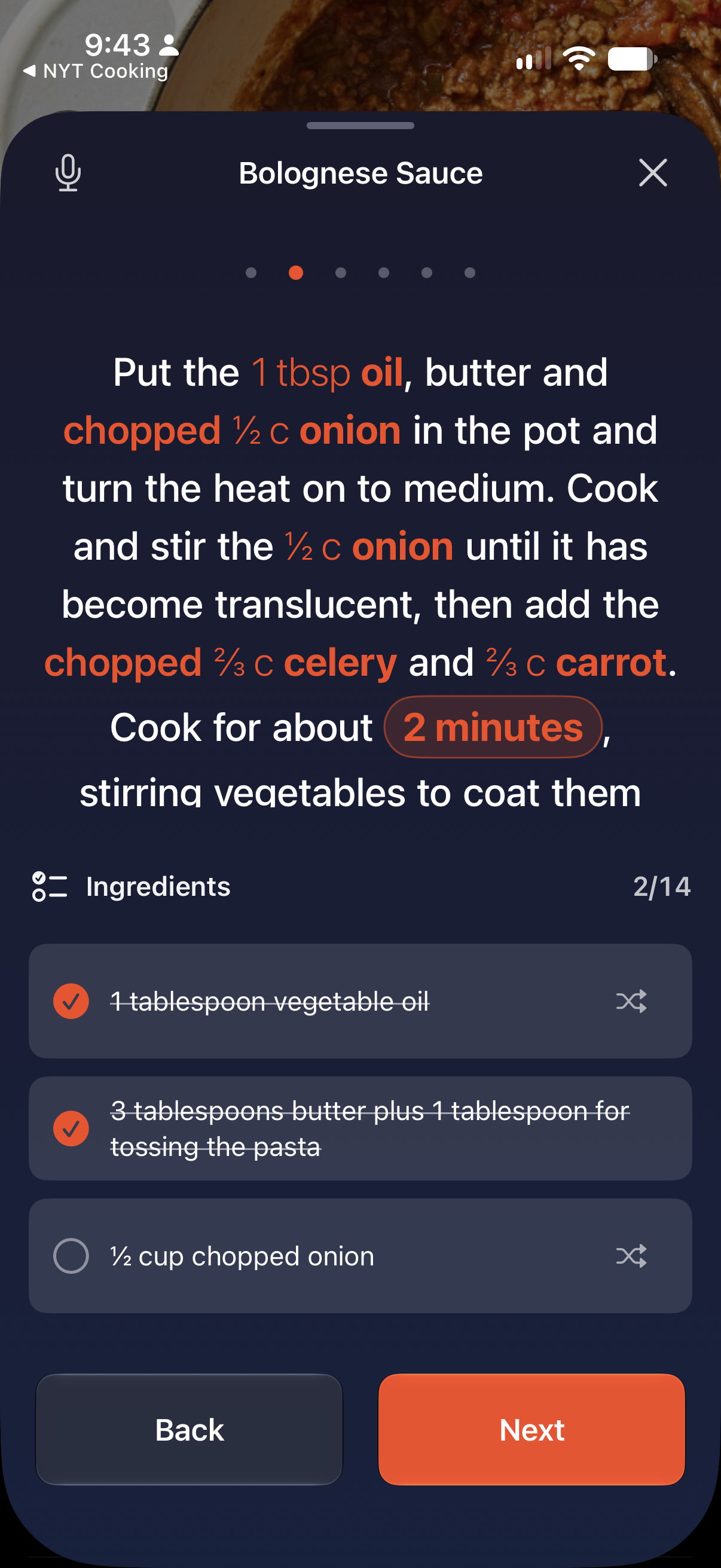
IngredientsTick ingredients off as they go into the pot. The count follows you from step to step, so you always know what has already gone in.
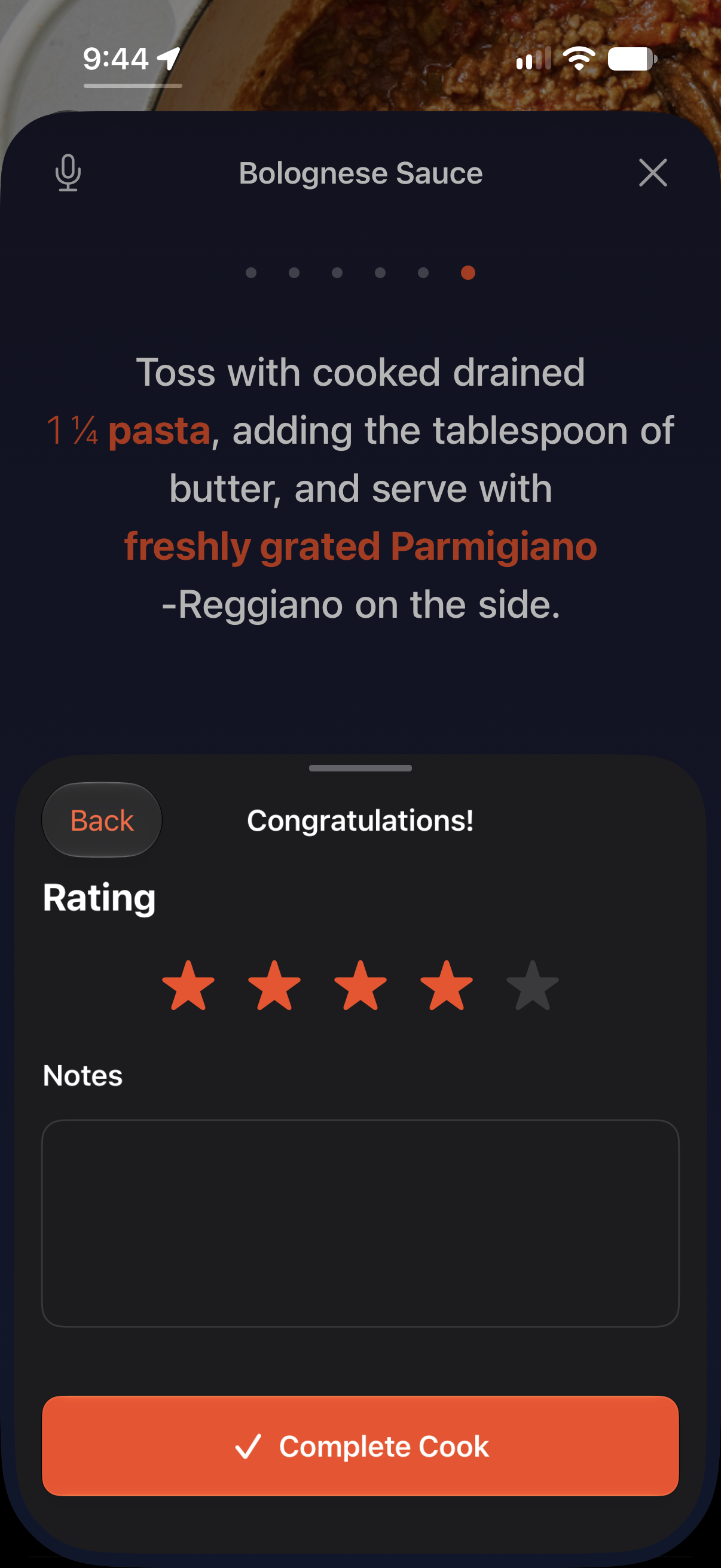
FinishRate the recipe and leave notes the moment you're done, while you still remember what you'd change next time.
On your wristSwipe on the Apple Watch or use hands-free Double Tap4 gesture to move from step to step, keeping your phone smudge-free.
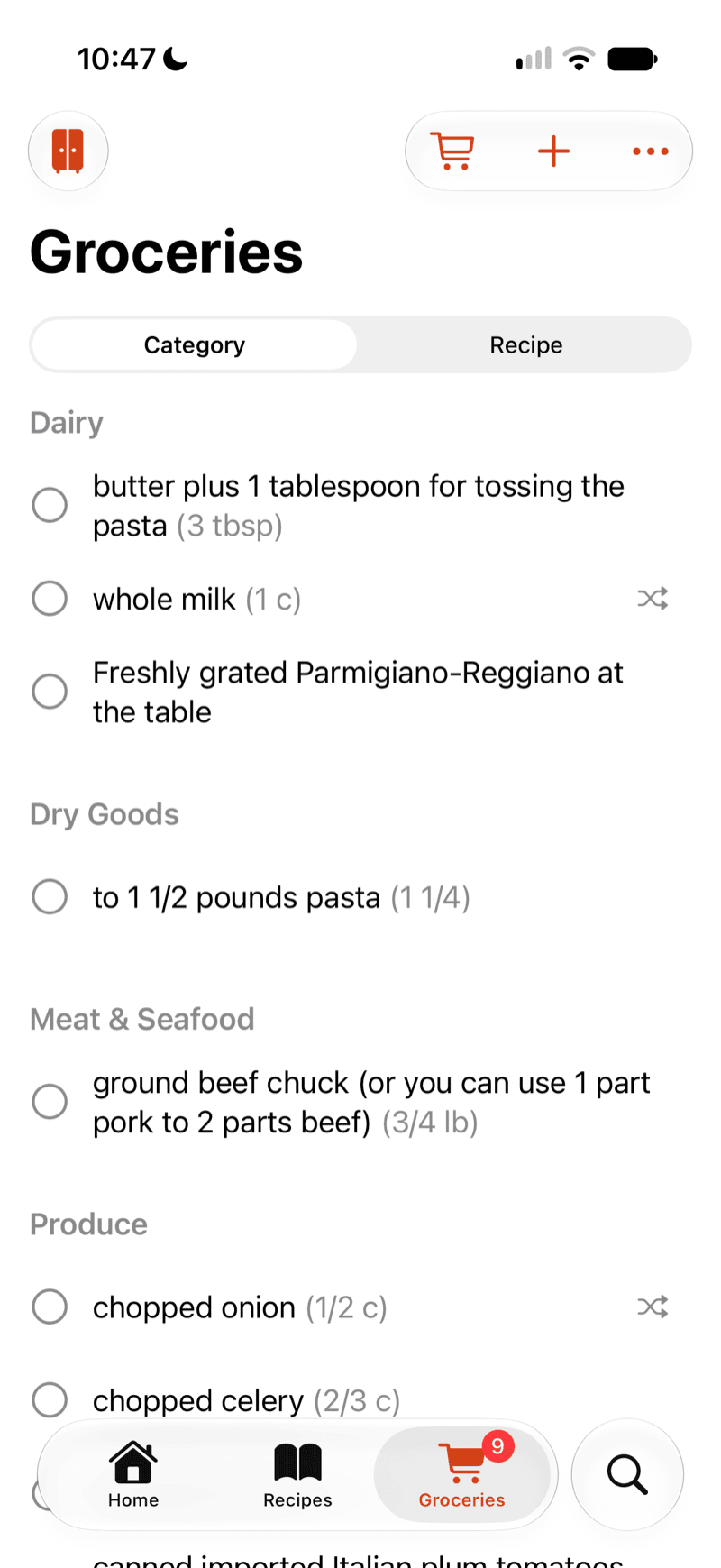
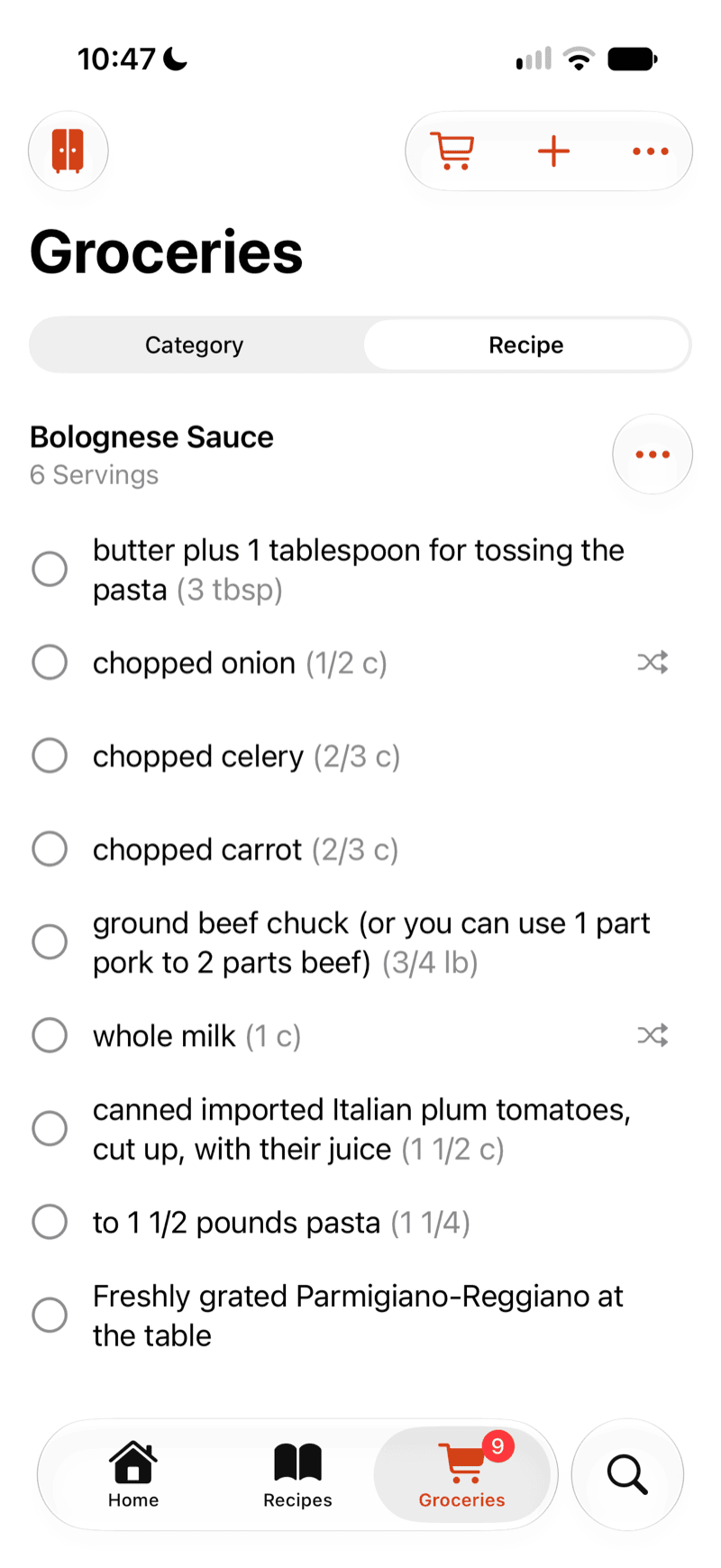
Grocery List
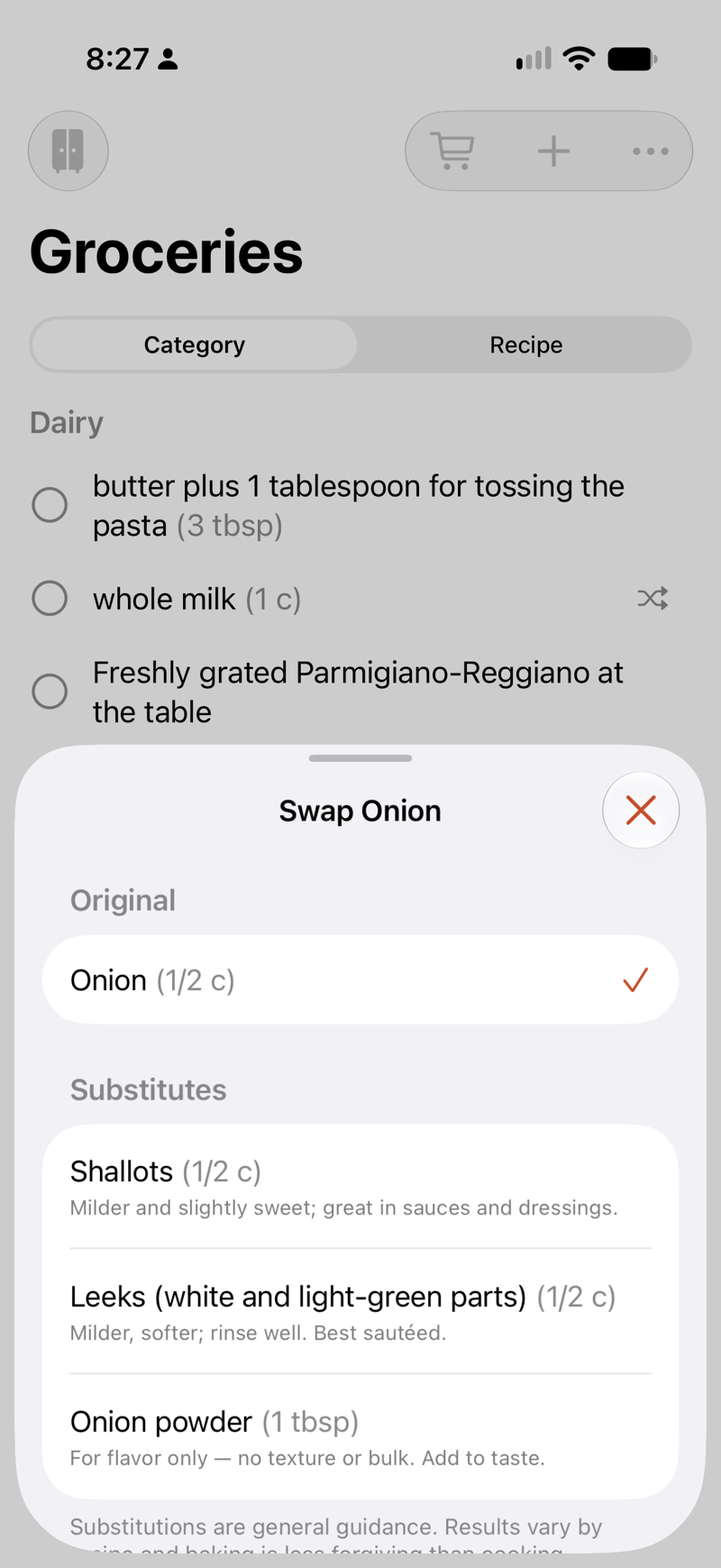
By categoryOne tap puts every ingredient from a recipe on the list, already grouped into produce, dairy, meat and dry goods — so things are where you expect them while you’re actually in the shop, and you walk it once instead of doubling back. Can’t find something once you’re there? Tap the swap button on a row to see substitutes that will do the job instead.
By recipeFlip the same list to group by recipe when you need to know what belongs to which dish. More people coming for dinner than you planned for? Tap the ⋯ button on the recipe and raise the servings — every quantity on the list rescales to match.
Swap an ingredientCannot find an ingredient at the store and need a substitute? Tap the swap button on a row and pick a replacement — with a note on how it changes the dish.
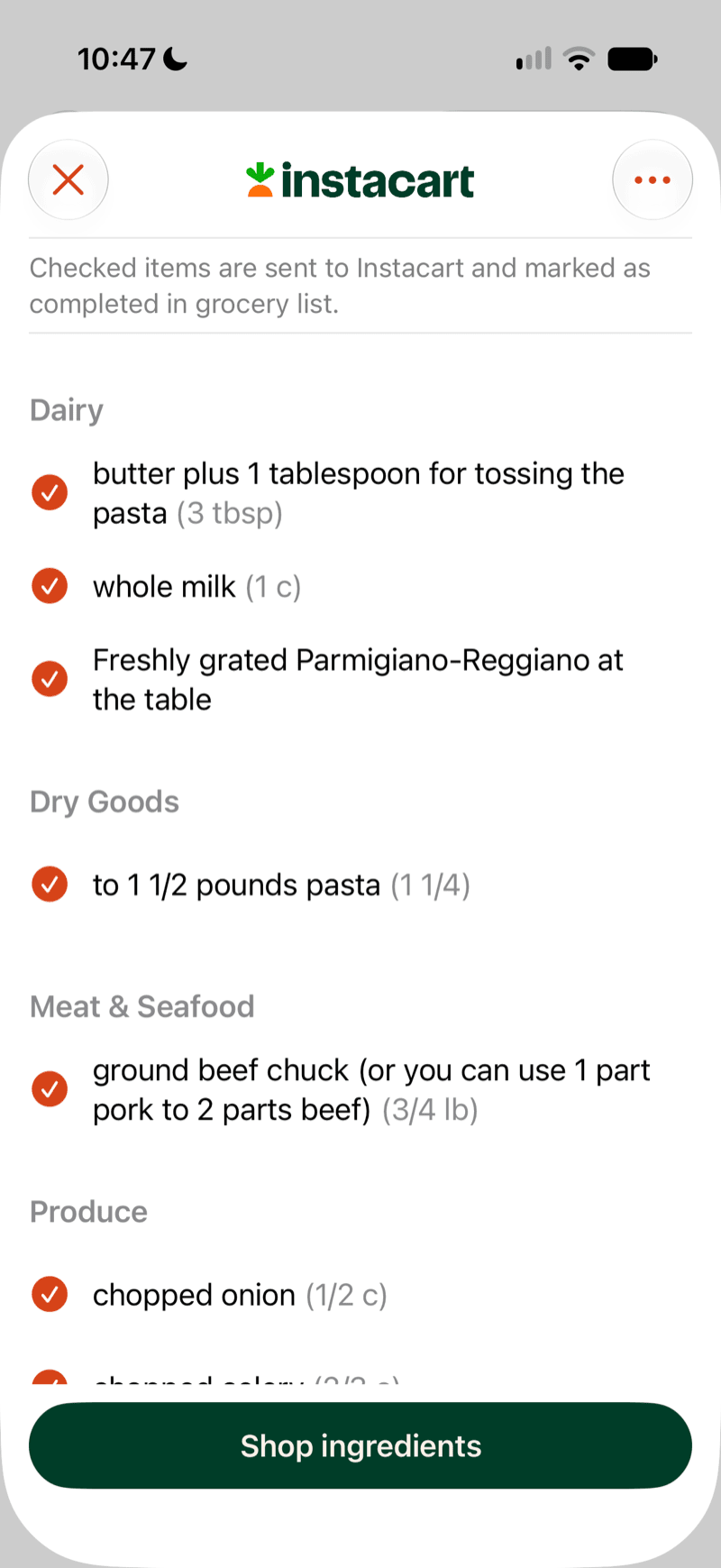
Straight to InstacartTick what you actually need and send it to Instacart without retyping any of it. The items you send are marked off your list at the same time.
Meal Planning
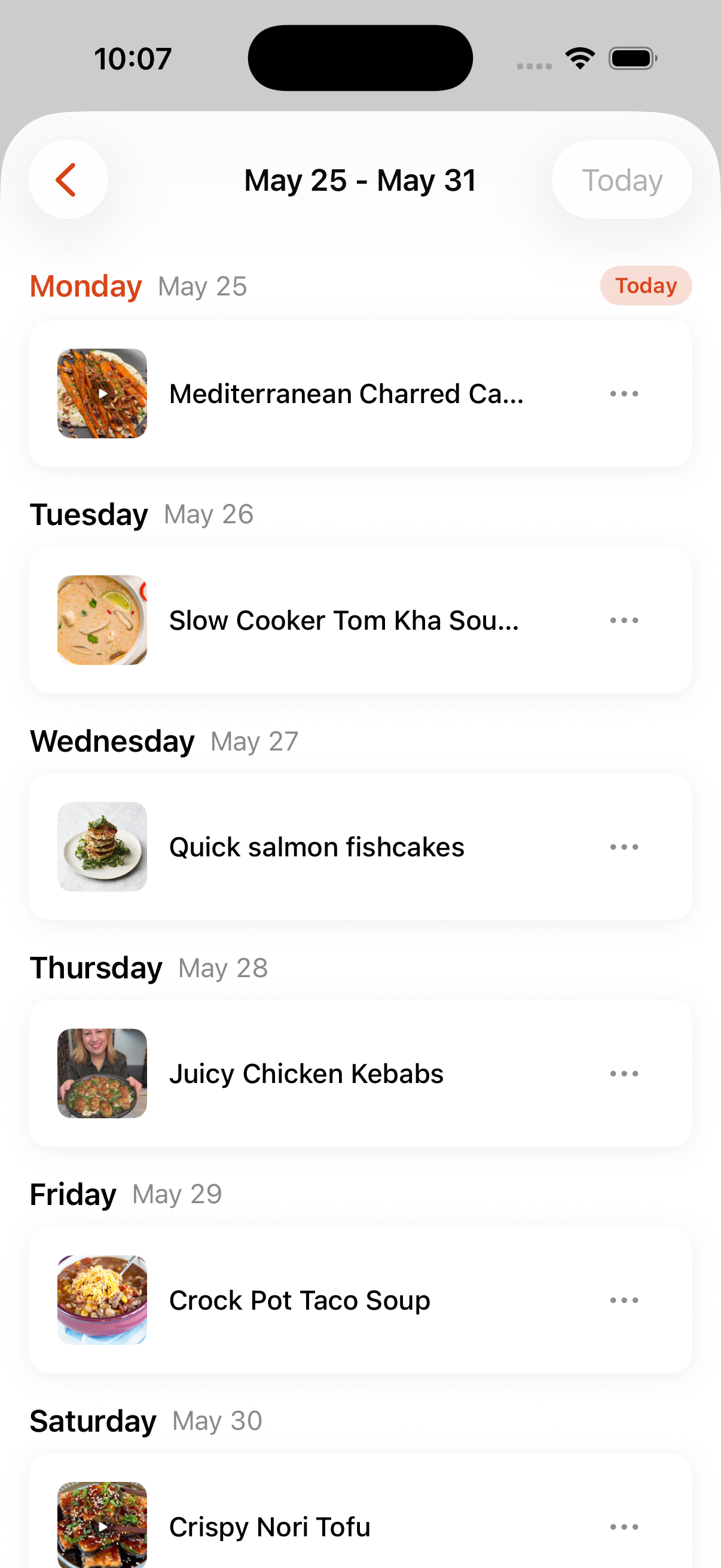
Add recipes onto a weekly calendar and share the plan with your household so everyone knows what's for dinner.
Plan your week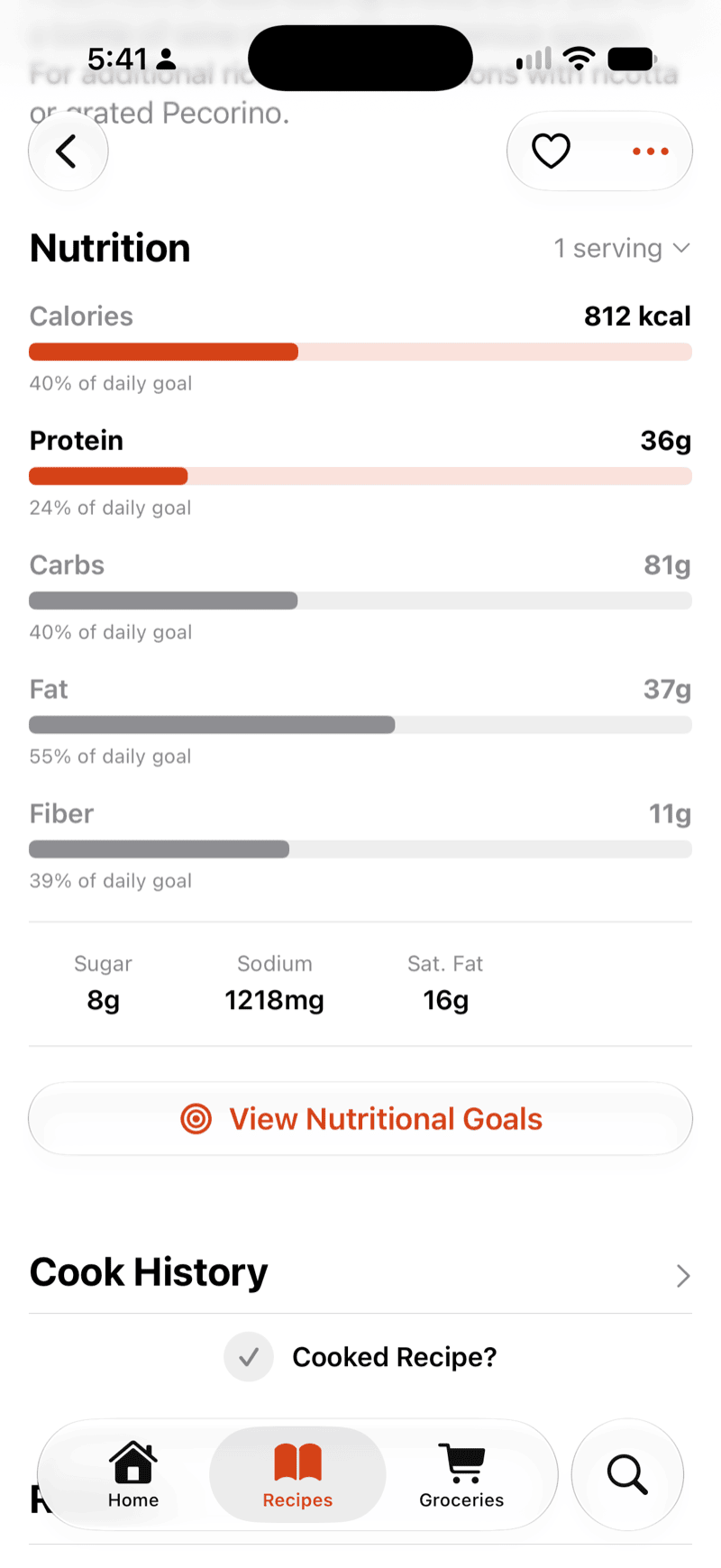
Nutrition
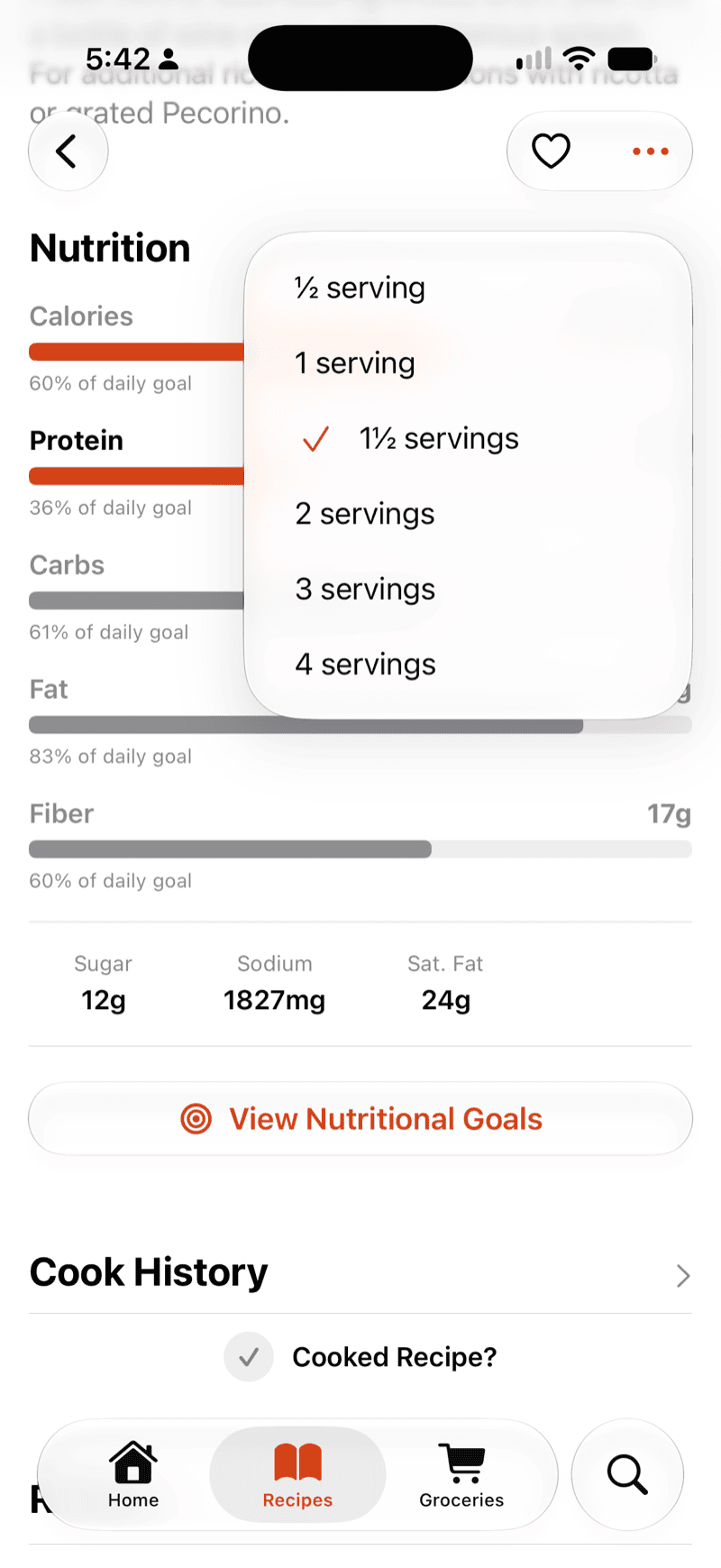
On every recipeCalories, protein, carbs, fat and fiber, sitting on the recipe itself rather than buried in a log you have to fill in. Each one shows what share of your day it accounts for, so “812 kcal” becomes “40% of today”, which is the number you can actually make a decision with.
For however much you eatThe figures are per serving, and you pick how many you’re counting: half the recipe, one and a half, double, etc. The calories and macros follow, so you can have a better idea how your serving size impacts your nutritional goals.
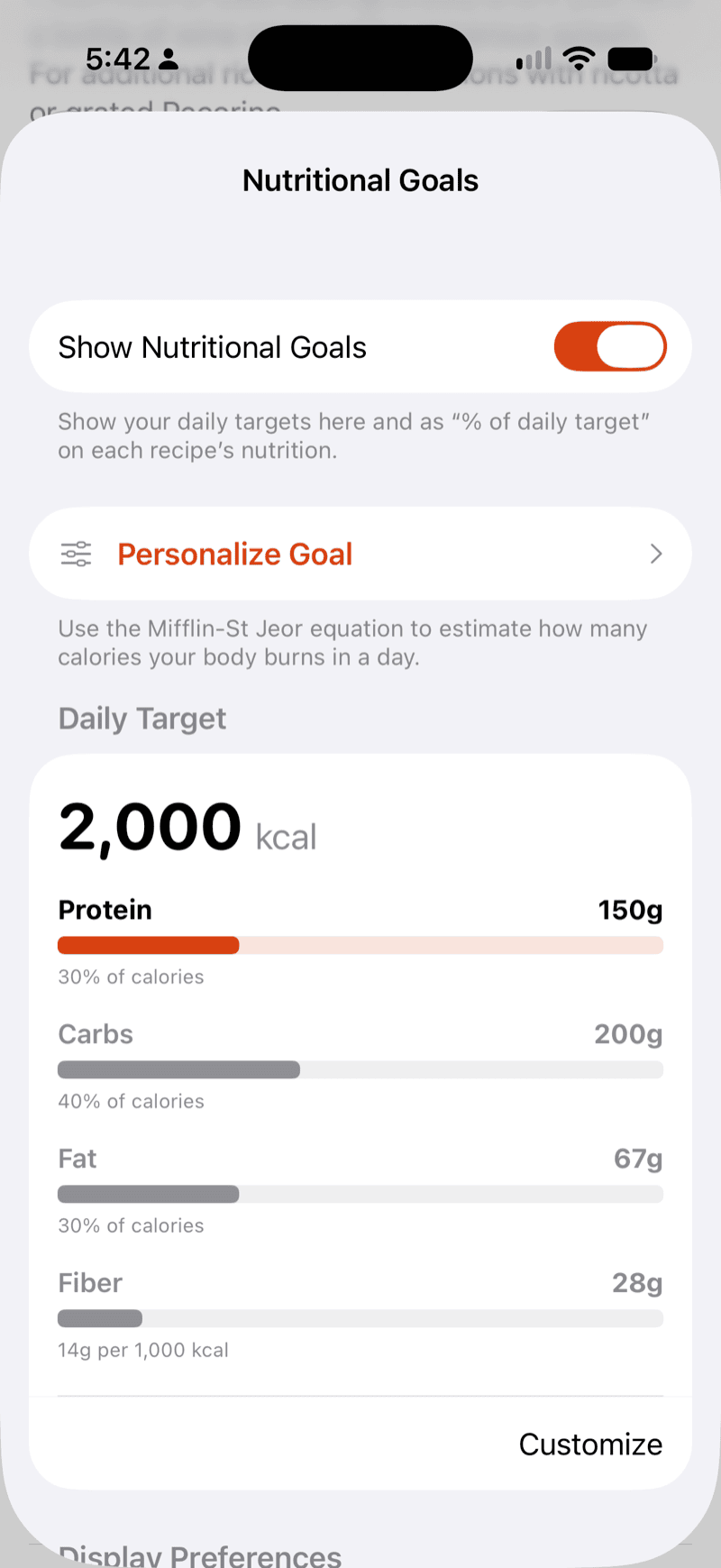
Against your targetsSet your own daily target and macro split, or let Marinaid estimate it from your age, height, weight, sex and activity level using the Mifflin–St Jeor equation. Turn the whole thing off if you’d rather not see it — the recipes work the same either way.
Marinaid exists for two reasons: to make home cooking effortless, and to assist organizations that work towards ending hunger.